


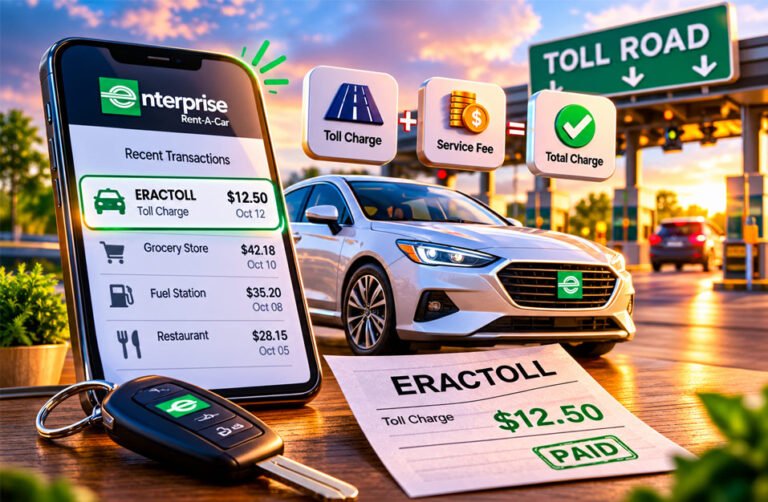
ERACTOLL is usually a toll charge linked to an Enterprise Rent-A-Car vehicle. It may appear on your debit or credit card after you use a toll road, bridge, tunnel, or express lane.
Many people search for ERACTOLL because they do not recognize the name on their bank statement. The charge can also appear weeks after the rental has ended.
This guide explains what ERACTOLL means, how Enterprise TollPass works, what fees you may pay, how to find your receipt, and what to do if a charge looks wrong.
What Is ERACTOLL?
ERACTOLL is a name commonly used for toll charges linked to an Enterprise rental car. It may also appear as ERAC TOLL or a similar name on your bank statement.
“ERAC” is commonly linked with Enterprise Rent-A-Car. “TOLL” means a charge for using a toll road, bridge, tunnel, or express lane.
ERACTOLL is normally not a subscription or online purchase. It usually appears because a rental car was recorded using a toll road.
The toll payment may be separate from your main rental payment. This means you may pay your rental bill first and receive the toll charge later.
However, you should still check every ERACTOLL charge. The dates, toll location, and rental information should match your trip.
Why Did ERACTOLL Charge Me?
You may see an ERACTOLL charge because your rental car used a toll road and the toll was not paid directly at that time.
Many toll roads are now fully electronic. You may not see a toll booth or a worker collecting money.
Instead, the toll system can read a transponder inside the vehicle. It may also use a camera to read the car’s license plate.
The toll company then identifies the vehicle. Because Enterprise owns the rental car, the toll information can be sent for processing and matched with your rental agreement.
The charge may then be sent to the card used for your rental.
This means you can receive an ERACTOLL charge even if you never stopped to pay a toll.
Your navigation app may also have taken you onto a toll road without you noticing. If another approved driver used the rental car, they may have used a toll road as well.
Check the toll details and compare them with your trip if you do not remember the charge.
How Enterprise TollPass Works
Enterprise uses TollPass to handle toll payments in supported areas.
It can allow a rental vehicle to use an electronic toll road without stopping to pay cash.
Some toll systems use a transponder. Others use cameras to read the vehicle’s license plate.
If you do not use another accepted payment method, the toll may be processed through TollPass. The toll and any related fees can then be charged to the payment method linked to your rental.
TollPass does not work exactly the same everywhere. Fees, payment options, and coverage can change depending on the rental location and toll road.
It is a good idea to check the toll rules before starting your trip.
TollPass charges may also be separate from your main rental bill. This is why another charge can appear after you have already returned the vehicle.
Why ERACTOLL Can Appear Weeks Later
ERACTOLL may not appear on your card immediately.
The toll company first needs to process the toll information. This can include the vehicle’s license plate, transponder details, date, and location.
The information then needs to be matched with the correct rental.
The collected information says toll charges can sometimes take around four to six weeks to appear. The exact time can be different depending on the toll company and location.
This means you could return your rental car and see ERACTOLL on your card more than a month later.
A late charge does not always mean something is wrong.
Check your rentals from the past several weeks before reporting the transaction as unknown.
What Does an ERACTOLL Charge Include?
An ERACTOLL payment may include more than the road toll itself.
It can include the actual toll and an extra TollPass service or convenience fee.
Toll Amount
The toll amount is the cost of using a toll road, bridge, tunnel, or express lane.
The price can change depending on the road, location, vehicle, payment method, and sometimes the time of travel.
A rental car may also not receive the same discount that local drivers get with their own toll accounts.
This means the toll can sometimes cost more than you expected.
TollPass Convenience Fee
TollPass may also add a convenience or service fee.
The collected information reports a $4.95 fee for each day a toll is used in many U.S. TollPass areas. It also reports a maximum of $34.65 per rental period, plus the toll charges.
However, these prices do not apply everywhere.
Fees can change depending on the rental location and TollPass program. Always check the terms for your own rental.
Why Is My ERACTOLL Charge Higher Than Expected?
Your ERACTOLL charge may be higher than the toll price you remember seeing.
One reason is the TollPass convenience fee.
You may also have used toll roads on several different days. A fee may apply for each day you used a toll road, depending on the program.
Several tolls may also be included in one payment.
For example, you may have used a toll bridge and two toll roads during the same trip. These charges can add up.
The toll rate may also be higher than the discounted rate offered to people with their own local toll accounts.
Check your full toll statement to see exactly what you were charged for.
How to Find Your ERACTOLL Receipt
An itemized receipt can help you understand an ERACTOLL charge.
Enterprise directs renters to a TollPass-related receipt system where toll records can be checked.
You will normally need your last name and rental agreement or contract number.
If you do not have the agreement number, another search option may be available using your last name and limited digits from the card used for the rental.
Your toll record may show the date, location, toll amount, and related fees.
Compare these details with your rental dates and the roads you used.
Keep a copy of the receipt if anything looks wrong. You may need it if you decide to dispute the charge.
How to Check Whether an ERACTOLL Charge Is Correct
Start with your rental agreement and toll statement.
Check the dates when you had the vehicle. Compare them with the dates shown on the toll record.
Remember that the bank charge can appear much later than the actual toll.
Next, check the toll location. Make sure the road, bridge, tunnel, or express lane is somewhere you actually traveled.
Check the amount and look for duplicate charges.
If you used your own toll pass, compare your personal toll statement with the ERACTOLL record.
Another approved driver may also have used the toll road.
If the dates, roads, and rental details match, the charge is more likely to be correct.
If something does not match, investigate the charge further.
What If the Toll Happened Outside Your Rental Dates?
A toll outside your rental dates should be checked.
For example, if you returned the car on Wednesday but the toll happened on Friday, you were no longer using the vehicle at that time.
Mistakes can happen when toll or rental records are processed.
Keep your rental agreement because it shows when you received and returned the vehicle.
Also save the toll statement showing the wrong date.
Contact TollPass and ask them to review the charge.
What If You Used Your Own Toll Pass?
You may be able to use your personal toll transponder in a rental car. Examples include E-ZPass, SunPass, and FasTrak.
However, the rules depend on the toll system and location.
Some toll providers require you to add the rental car’s license plate to your account. You may also need to enter the rental start and end dates.
Make sure all information is correct.
Your transponder must also be placed correctly so the toll system can read it.
If the transponder is not detected, a camera may read the rental car’s plate instead. This could lead to an ERACTOLL charge.
Check the rules of your toll provider before using your own transponder in a rental car.
What If You Were Charged Twice for the Same Toll?
Sometimes your personal toll account and ERACTOLL may both appear to charge you for the same toll.
Check both statements carefully.
Compare the road, date, time, location, and amount.
If both records show the same toll, save proof from your personal toll account.
Also keep your rental agreement and ERACTOLL statement.
Contact TollPass and explain that the same toll may have been paid twice. Provide your proof so they can review the payments.
How to Dispute an ERACTOLL Charge
You can question an ERACTOLL charge if you believe it is wrong.
For example, the toll may have happened outside your rental dates, on a road you never used, or after you already paid it yourself.
Check the Toll Records First
Get your itemized toll statement first.
Check the date, road, amount, and fees.
Compare the information with your rental agreement and trip.
If something is wrong, save a copy of the statement.
Gather Your Evidence
Useful documents may include:
- Rental agreement
- TollPass statement
- Bank or card statement
- Personal toll account statement
- Toll receipt
- Vehicle information
- Toll date and location
- Travel records
Clear records can make your dispute easier to check.
Contact TollPass
Contact TollPass and explain what you believe is wrong.
The collected information lists 877-860-1258 for Enterprise TollPass questions or disputes. Another number, 877-765-5201, is listed for TollPass help.
Contact details can change. Check the current official Enterprise or TollPass information before calling.
Give your rental agreement number if possible.
Explain the problem clearly. For example, tell them if the toll happened after you returned the car or if you already paid it with your own transponder.
Keep copies of messages, receipts, and other documents related to the dispute.
When Should You Contact Your Bank?
You do not always need to contact your bank first.
If the charge is connected with a real rental, check the toll statement and contact TollPass first.
Your bank may be the next step if the charge cannot be explained or a clear mistake is not corrected.
You should also contact your card issuer if you believe the payment was not authorized.
Follow your bank’s dispute process and do not wait too long. Banks can have time limits for reporting disputed transactions.
Is ERACTOLL Legit or a Scam?
ERACTOLL can be a legitimate Enterprise rental toll charge.
However, you should still check any payment you do not recognize.
A normal ERACTOLL charge should match a real rental and toll event.
Look more closely if:
- You did not rent the vehicle.
- The toll happened outside your rental dates.
- The toll road was somewhere you did not visit.
- The same toll appears twice.
- The toll details do not match your trip.
- TollPass cannot explain the charge.
Remember that toll charges can arrive weeks later. Check older rentals before deciding the payment is not yours.
If you still cannot find a connection, contact TollPass or Enterprise through an official channel.
If the payment appears unauthorized, contact your card issuer.
Safety Tips When Checking an Unknown ERACTOLL Charge
Use official Enterprise or TollPass contact information when checking an ERACTOLL charge.
Do not trust random phone numbers from social media posts, unknown websites, texts, or emails.
Never publicly share your full card number, rental agreement number, or other private information.
If someone contacts you about the payment, make sure they are really connected with Enterprise or TollPass before giving them personal information.
Also check your bank account for other unknown transactions.
How to Avoid Surprise Toll Charges on Future Rentals
Ask how toll payments work before leaving the rental location.
Find out whether the car has a toll device and what fees may apply.
If you plan to use your own transponder, check whether it works in that area. You may need to add the rental vehicle’s plate and rental dates to your toll account.
Check your route for toll roads, bridges, tunnels, and express lanes before traveling.
You can use the avoid tolls option in a navigation app, but check your route as well. Navigation apps can sometimes change routes because of traffic.
Depending on the location, you may be able to use your own toll pass, pay the toll directly, use the rental company’s toll program, or choose a road without tolls.
Records to Keep After Returning a Rental Car
Keep your rental documents for some time after returning the vehicle.
Useful records include:
- Rental agreement
- Final rental receipt
- Vehicle license plate
- Card payment record
- Toll receipts
- Personal toll statements
- Screenshots of toll payments
- Enterprise or TollPass emails
- Dispute messages
These records can help if an ERACTOLL payment appears weeks later.
Keep them until you are confident that all rental and toll charges have been processed.
Bottom Line
ERACTOLL is usually a toll charge connected with an Enterprise rental vehicle.
It may appear weeks after you return the car and can include the road toll plus service fees.
If you do not recognize the charge, check your toll receipt, rental dates, and travel route.
If something is wrong, contact TollPass with your records. If the charge cannot be explained or appears unauthorized, contact your card issuer.
Frequently Asked Questions
What does ERACTOLL mean on my bank statement?
ERACTOLL usually means a toll charge linked to an Enterprise rental vehicle. It can appear separately from your main rental payment.
Why did ERACTOLL charge me weeks after my rental?
Toll information can take time to process. In some cases, the charge may appear about four to six weeks after the rental.
How much does Enterprise TollPass charge?
Fees depend on the location and program. Collected information reports a $4.95 fee per toll-use day, up to $34.65 per rental period, in many U.S. TollPass areas, plus tolls.
How can I find my ERACTOLL receipt?
Use the TollPass-related receipt system. You will normally need your last name and rental agreement number.
Is ERACTOLL a legitimate charge?
Yes, it can be legitimate. However, the toll date, location, amount, and rental information should match your trip.
What if I already paid the toll with my own transponder?
Check both toll statements. If you paid the same toll twice, keep proof and contact TollPass for a review.
Can I dispute an ERACTOLL charge?
Yes. Gather your rental agreement, toll statement, and payment records, then contact TollPass if the charge appears wrong.
What should I do if I never rented from Enterprise?
Check older rentals first because toll charges can be delayed. If you still cannot explain the charge, contact the official toll service and your card issuer.
Discover More:
Wattios Complete Guide: Meaning, Power, Energy, and Electricity Costs
