


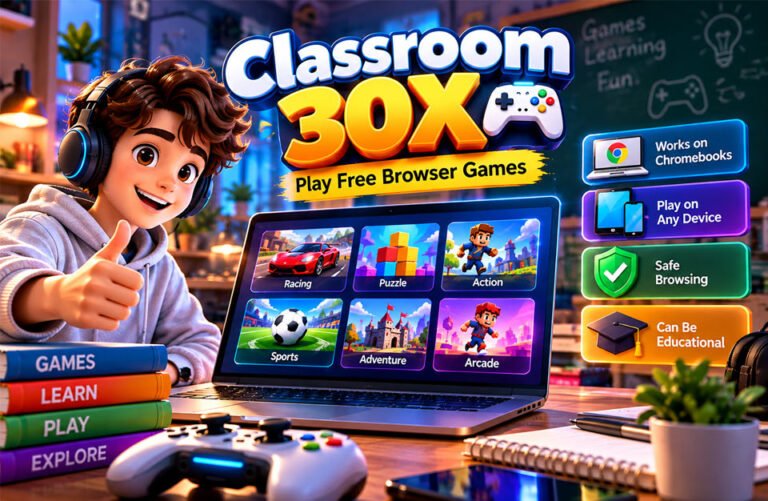
Classroom 30X is a name linked with websites that offer free browser games. People often search for it to play games on Chromebooks, laptops, tablets, and other devices without installing large programs.
There is some confusion about Classroom 30X. Different websites may use this name. Some articles also describe it as an educational or AI learning platform, but these features are not clearly confirmed on the main gaming versions.
This guide explains what Classroom 30X is, how it works, its games, supported devices, safety, privacy, educational use, and other important facts.
What Is Classroom 30X?
Classroom 30X is mainly a name used by websites that offer free browser games. Users can normally open a game in their browser and start playing without installing a full computer game.
There does not seem to be one single Classroom 30X platform. Different websites use the name and may have different games, designs, ads, and features. Some versions have been hosted on Google Sites or GitHub Pages.
There is also no confirmed number of Classroom 30X games. One reported GitHub version has claimed to offer more than 500 games, but this number does not apply to every version.
The original founder, developer, company, and launch date are also not clearly known.
Classroom 30X is popular with people looking for simple browser games, including Chromebook users. Many games are small enough to run without installing large programs.
Classroom 30X is not the same as Google Classroom. Google Classroom is Google’s education service for assignments, lessons, and communication between teachers and students.
How Does Classroom 30X Work?
Classroom 30X works like many other browser gaming sites. Users open the website, look through the games, choose one, and wait for it to load.
Many browser games use HTML5 and JavaScript. Some 3D games also use WebGL. These technologies allow games to work directly inside modern web browsers.
Most users do not need a separate game launcher or desktop program. A supported browser and internet connection are usually enough.
Some games may be loaded from another website or server. Because of this, the main Classroom 30X website might work while a certain game does not.
Controls are also different for each game. Some games use arrow or WASD keys. Others use a mouse or touchscreen.
Simple 2D games can work well on basic devices. Larger 3D games may need more memory and better graphics performance.
Main Features of Classroom 30X
Classroom 30X features can be different from one website to another. However, several features are common on the gaming versions.
Browser-Based Gameplay
Most games can be played directly in a browser. Users normally do not need to download a large program first.
This makes it easier to start playing and move between different games.
Free Access
Many Classroom 30X gaming sites offer their games for free.
Some websites may use advertisements to support their service, so the experience can be different between versions.
No Account on Many Versions
Many versions let users play without creating an account. This means players may not need to provide a name or email address.
However, websites can still use cookies and collect basic technical data even when no account is required.
Different Types of Games
Classroom 30X can include racing, puzzle, sports, arcade, action, strategy, running, and skill games.
The available games can change over time. Some titles may be added, removed, or stop working.
Simple Access and Navigation
Most versions are designed to make games easy to find. Users can browse the game list, choose a title, and return to the main page to find another game.
Menus and search options can be different on each website.
Different Controls
Games may support a keyboard, mouse, or touchscreen.
A game made for keyboard controls may open on a phone but still be difficult to play.
Classroom 30X Games and Categories
Classroom 30X is known for offering different types of browser games. The exact game list depends on the website being used.
Common categories include racing, running, sports, puzzles, arcade, action, strategy, adventure, and skill games.
Games reported on different versions include Moto X3M, Drive Mad, Run 3, Slope, 2048, Bloxorz, Fireboy and Watergirl, Basketball Stars, Retro Bowl, Smash Karts, Basket Random, Vex, Tunnel Rush, Riddle School, Geometry Dash Wave, Timberman, and Getting Over It Scratch.
These games may not be available on every Classroom 30X website.
Racing games such as Moto X3M and Drive Mad focus on speed, balance, and avoiding obstacles. Games such as Run 3 and Slope require quick reactions and careful timing.
Puzzle games such as 2048 and Bloxorz focus more on thinking, planning, numbers, and movement.
Sports games usually offer short matches. Action and arcade games often focus on fast movement and simple challenges.
Some games require more patience. Riddle School focuses on puzzles and escape-style tasks, while Getting Over It Scratch requires careful movement and repeated attempts.
How to Play Games on Classroom 30X
Playing a game on Classroom 30X is usually simple.
Open a modern browser such as Chrome, Firefox, Edge, or Safari. Visit the Classroom 30X website and look through its available games.
Choose a game and wait for it to load. Check its controls before playing. Depending on the game, you may need a keyboard, mouse, or touchscreen.
Some games also have pause, restart, sound, or level buttons.
Check the website address before using it because several websites may use similar names.
Be careful if a website asks you to download unknown software or install a strange browser extension. Most simple browser games should not need these downloads.
Students should also follow their school’s internet and device rules.
Does Classroom 30X Work on Chromebooks?
Many Classroom 30X games can work on Chromebooks because they run inside a browser.
Simple HTML5 games usually do not need powerful hardware. They may work well on older or basic Chromebooks.
Large 3D games can need more memory and graphics power. Having too many browser tabs open can also make games slower.
Internet speed can affect loading. A slow connection may cause long loading times or freezing.
Browser settings can also cause problems. Some games need scripts, cookies, local storage, or embedded content to work.
School Chromebooks may have extra restrictions set by administrators. A website working on a school Chromebook does not mean students have permission to use it.
Phones, Tablets, and Other Supported Devices
Classroom 30X games may work on several devices because they mainly use web browsers.
Laptops and desktop computers usually offer good compatibility because they have larger screens, keyboards, and full browsers.
Many games can also work on Chromebooks.
Some games support tablets and iPads. Touch-friendly games usually work better on these devices.
Phone support is less reliable. Puzzle games with touch controls may work well, while games that need arrow keys, WASD keys, or a mouse can be difficult to play.
Screen size can also cause problems. Text and controls made for a computer screen may appear too small on a phone.
There is no clearly confirmed official Classroom 30X mobile app that applies to all versions. Browser access remains the main way to play.
Is Classroom 30X Really an Educational Platform?
Some websites describe Classroom 30X as an educational gaming platform. However, this needs to be explained carefully.
Some games can help users practise useful skills. Puzzle games can involve logic and problem-solving. Strategy games may require planning and decision-making.
Depending on the game, players may use memory, attention, number skills, vocabulary, spelling, timing, and spatial thinking.
However, this does not make every Classroom 30X game educational.
Many games are mainly made for entertainment. These can include racing, action, arcade, fighting, and other casual games.
The main gaming versions do not have a clearly confirmed full school curriculum or formal grading system.
Teachers can still choose suitable games for learning activities. For example, a number puzzle may support maths practice, while a word game may help with spelling.
Classroom 30X should not replace normal lessons, assignments, teachers, or proper educational software.
AI Learning Claims: What Is and Isn’t Confirmed?
Some online articles describe Classroom 30X as an advanced AI learning platform.
They mention features such as AI tutors, adaptive lessons, automatic grading, quiz creation, lesson planning, student progress tracking, teacher dashboards, and automatic feedback.
Some sources also mention curriculum support and immersive learning tools.
These advanced features have not been clearly confirmed on the main Classroom 30X gaming websites.
It is possible that different websites or ideas are using the same name. This may be why information about Classroom 30X is sometimes mixed together online.
Teachers should check the exact website and its official information before trusting claims about AI tools, automatic grading, student tracking, or personalized lessons.
For now, these AI features should be treated as unconfirmed claims for the main gaming versions.
Classroom 30X vs Google Classroom
Classroom 30X and Google Classroom are not the same.
Classroom 30X is mainly linked with browser gaming websites. Google Classroom is an education service from Google.
Teachers use Google Classroom to share assignments, organize classwork, communicate with students, and give feedback.
Some Classroom 30X websites may use Google Sites for hosting. This does not mean Google owns or manages them.
Is Classroom 30X Free?
Many known Classroom 30X gaming versions are free to use. Players can usually choose and play games without paying for a subscription.
Many versions also do not require an account.
However, some websites may show ads or use third-party services.
There is no clearly confirmed paid or premium Classroom 30X plan that applies to every website using the name.
Users should be careful if an unfamiliar Classroom 30X website suddenly asks for payment information.
Is Classroom 30X Safe?
Safety depends on the exact Classroom 30X website being used.
Different versions may have different games, ads, links, and privacy practices. This means one safety rating cannot apply to every Classroom 30X site.
Users should avoid websites that ask them to download unknown programs or browser extensions.
They should also be careful with pop-ups, redirects, and fake download buttons.
Do not enter passwords, school login details, payment information, or other private information on an unfamiliar gaming website.
Game content also matters. Some games may include fighting, shooting, horror, chat, or user-created content. These may not be suitable for young children.
Parents and teachers should check unfamiliar games before allowing children to play them.
Keeping the browser and operating system updated can also improve online security.
Privacy and Data Collection
Many Classroom 30X versions do not require an account. This means users may not need to give their name or email address.
However, a website can still collect some technical information.
This may include an IP address, browser type, device information, cookies, and basic usage information.
Games loaded from other websites may have their own privacy rules.
Some games also save scores, settings, or progress in cookies or browser storage. Clearing browser data may remove this saved information.
Users should read the privacy policy of the exact website they use, especially before sharing personal information or allowing extra browser permissions.
Classroom 30X and School Rules
Classroom 30X is sometimes described as an “unblocked games” site. This usually means that a website may work on some school networks.
However, an unblocked website is not automatically approved by a school.
Schools can block websites, games, scripts, and outside servers through internet filters and managed-device settings.
A game that does not load at school may therefore be blocked rather than broken.
Students should follow their school’s internet and device rules. They should play games only when their school or teacher allows it.
Students should not try to bypass school security or internet restrictions.
Copyright and Legal Considerations
Games found on Classroom 30X may come from many different developers and publishers.
Each game can have its own copyright owner and rules.
A game appearing on a Classroom 30X website does not automatically mean that the website has permission to copy or host it.
Some games may also be loaded from outside websites instead of being stored directly on Classroom 30X.
There is not enough reliable information to say that every Classroom 30X website is legal or illegal. Each website would need to be checked separately.
Using an official or authorized version of a game is the safer choice when one is available.
Benefits of Classroom 30X
Classroom 30X can offer several benefits for casual players:
- Free games: Many versions offer games without payment.
- Easy access: Games usually open directly in a browser.
- No large installation: Most titles do not need normal desktop installation.
- No account on many sites: Users can often start playing quickly.
- Many game types: Choices can include racing, puzzles, sports, action, and strategy.
- Chromebook support: Many browser games work on Chromebooks.
- Quick play: Some games are suitable for short breaks.
- Thinking activities: Puzzle and strategy games may involve logic, memory, and planning.
The exact benefits depend on the website and game.
Drawbacks and Limitations
Classroom 30X also has some limitations.
There is no clearly confirmed single Classroom 30X platform. Different websites may have different owners, games, ads, and privacy rules.
Games can also stop working. This may happen when an outside server goes offline or a game is removed.
Some games may run slowly on old computers or Chromebooks. Others may not work properly on phones because they need a keyboard or mouse.
Not every game is suitable for children. Some may include fighting, horror, or other mature content.
Classroom 30X should also not be treated as a complete educational system. Its reported advanced AI learning features have not been clearly confirmed on the main gaming versions.
Common Classroom 30X Problems and Fixes
Game Won’t Load
Refresh the page and check your internet connection. If other websites work, the game’s server may be having a problem.
Blank Screen
Close and reopen your browser. You can also check for browser updates.
Blocked scripts, cookies, or embedded content can sometimes cause a blank screen.
Slow Gameplay
Close extra browser tabs and programs.
If the game has graphics settings, lowering them may also help. Large 3D games can still run slowly on older devices.
No Sound
Check your device volume and make sure the browser tab is not muted.
Also check the game’s sound settings.
Controls Don’t Work
Click inside the game window and check the instructions.
The game may require arrow keys, WASD keys, a mouse, or touchscreen controls.
Game Doesn’t Work on Mobile
Some browser games are made for computers rather than phones.
If the controls do not work on your phone, try a laptop, desktop computer, or Chromebook.
Broken Game Link
The game may have been removed or moved to another website.
If the original server is no longer available, refreshing the page may not solve the problem.
Embedded Game Does Not Appear
Browser privacy settings, blocked scripts, cookies, or third-party content restrictions may stop an embedded game from appearing.
On a school device, these settings may be controlled by the school.
Classroom 30X Is Blocked at School
Schools can block gaming websites through their network or device settings.
Students should follow school rules and use approved websites instead of trying to bypass the restriction.
Classroom 30X Alternatives
Several websites offer similar browser games. There are also proper education platforms for people who are looking for learning tools instead of games.
Classroom 6X
Classroom 6X is another name linked with browser game collections. Depending on the version, users may find racing, arcade, puzzle, sports, and action games.
It may be useful for people looking for a different browser game collection. Users should still check the website, ads, and privacy rules before using it.
Classroom 15X
Classroom 15X is also linked with free browser games.
Like Classroom 30X, its main benefit is easy access without installing a large game program. Its games and features may be different from Classroom 30X.
Unblocked Games 76
Unblocked Games 76 is another name used for websites that collect browser games.
It may offer different game choices. However, availability depends on the website and network. Students should still follow their school’s rules.
Google Classroom
Google Classroom is for education rather than casual gaming.
Teachers can use it to share assignments, organize coursework, communicate with students, and manage class activities.
It is more suitable for people looking for school tools instead of browser games.
Moodle
Moodle is a learning management system used by schools, universities, and training organizations.
It supports online courses, learning materials, activities, assessments, and student management. It is designed for structured learning rather than casual gaming.
Canvas LMS
Canvas is another learning management system used by schools and colleges.
It includes tools for courses, assignments, grades, learning materials, and communication.
It is a better choice for users looking for a full education platform rather than a browser gaming site.
Key Facts to Remember
Classroom 30X is mainly linked with free browser gaming websites.
Several websites may use the name, so games, features, ads, and privacy rules can be different.
Many games can work without a large download or account. Chromebooks, laptops, and desktop computers are commonly supported.
There is no clearly confirmed single founder, company, launch date, official mobile app, or game count for all Classroom 30X versions.
Classroom 30X is not the same as Google Classroom.
Some websites describe it as an AI learning platform, but advanced features such as AI tutors, automatic grading, and adaptive lessons are not clearly confirmed on the main gaming versions.
Users should also remember that a game working on a school network does not mean the school has approved it.
Bottom Line
Classroom 30X is mainly a name used for websites that offer free browser games. Depending on the version, users may find racing, puzzle, sports, arcade, action, strategy, and other games.
Its main benefit is easy access. Many games can run directly in a browser without a large download or account.
However, different Classroom 30X websites can have different games, ads, privacy practices, and owners. Some games may also stop working or may not support every device.
Claims about advanced AI learning tools are not clearly confirmed for the main gaming versions.
Users should check the website carefully, avoid unknown downloads, protect personal information, choose age-appropriate games, and follow school or workplace rules.
Frequently Asked Questions
What is Classroom 30X?
Classroom 30X is a name used for websites that offer free browser games. Games and features may be different on each site.
Is Classroom 30X free?
Yes, many Classroom 30X websites offer free games. Some sites may also show ads.
Is Classroom 30X the same as Google Classroom?
No. Google Classroom is made for schoolwork and assignments, while Classroom 30X is mainly linked with browser games.
Can you play Classroom 30X on a Chromebook?
Yes, many Classroom 30X games work on Chromebooks. Some games may run better than others depending on the device.
Is Classroom 30X safe for students?
It depends on the website and game. Students should avoid strange downloads, ads, and sharing personal information.
Does Classroom 30X have AI learning tools?
Some websites claim it has AI learning tools, but these features are not clearly confirmed on the main gaming versions.
Why is Classroom 30X blocked at school?
Schools may block Classroom 30X because it is linked with gaming. Students should follow their school’s internet rules.
Does Classroom 30X require downloads or an account?
Many versions do not require downloads or an account. Users can usually open a game and play it directly in their browser.
Discover More:
Blazertje: Meaning, Styles, Fabrics, Fit, and How to Wear It
