


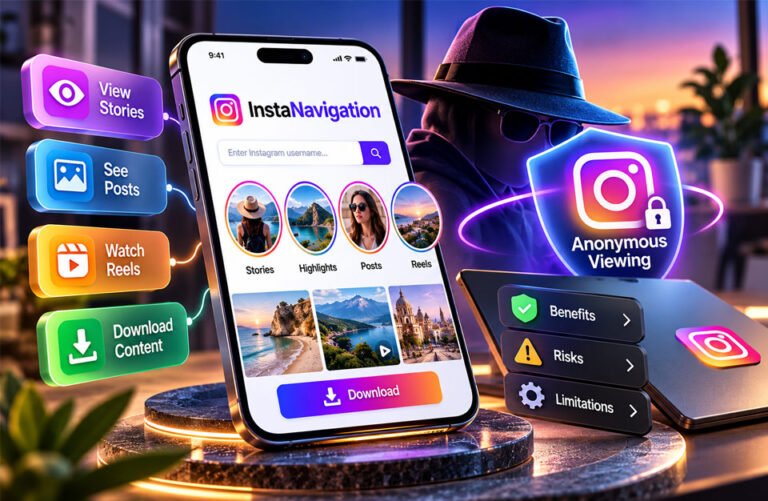
InstaNavigation is a name used for third-party tools that let people view public Instagram content in a web browser. Many people search for it because they want to watch public Instagram Stories without logging in or showing their Instagram account in the normal viewer list.
Some InstaNavigation websites may also show posts, Reels, Highlights, profile pictures, and other public details. However, InstaNavigation is not an official Instagram service.
This guide explains how InstaNavigation works, its main features, benefits, risks, privacy concerns, and limits.
What Is InstaNavigation?
InstaNavigation is mainly known as a browser-based Instagram viewer. It lets people search for public Instagram accounts and view available content without using their own Instagram account.
It is best known for anonymous Instagram Story viewing. Some versions may also show public posts, Highlights, Reels, videos, profile pictures, and basic profile details.
InstaNavigation is not owned or operated by Instagram or Meta. It is a third-party service.
Another important point is that several websites use the InstaNavigation name or similar names. They may have different owners and features. One website may focus mainly on Stories, while another may offer posts, Reels, Highlights, and downloads.
Some sources also say that InstaNavigation became StoryNavigation. However, there is not enough reliable information to confirm that all InstaNavigation websites and StoryNavigation have the same owner. This claim should be treated carefully.
How Does InstaNavigation Work?
InstaNavigation usually works by searching for a public Instagram username.
Instead of opening the profile through your logged-in Instagram account, you enter the username or profile link into the viewer. The website then tries to find and show available public content.
The basic steps are:
- Open an InstaNavigation website.
- Enter the exact Instagram username or profile link.
- Start the search.
- Choose the correct profile.
- View available Stories, posts, Highlights, or Reels.
- Use the download option if the website offers one.
It is better to use the exact Instagram username instead of a display name. Many accounts can have similar display names.
Some sources say videos can be downloaded in MP4 format. However, this feature may not be available on every InstaNavigation website.
These tools also depend on Instagram. If Instagram changes how its content works, third-party viewers may lose some features or stop working.
What Can You View With InstaNavigation?
InstaNavigation mainly works with public Instagram content.
Public Instagram Stories are its best-known feature. Stories normally stay available for 24 hours unless the account owner saves them as Highlights.
Some versions can also show Highlights. Highlights are saved Stories that stay on an Instagram profile until the owner removes them.
Other versions may show public posts, photos, Reels, videos, profile pictures, usernames, bios, and other basic profile details.
However, not all content will always appear. A Story may have expired or been deleted. A post or Highlight may also have been removed.
Features can also be different from one InstaNavigation website to another.
Can InstaNavigation View Private Instagram Accounts?
InstaNavigation should not be able to legitimately open private Instagram accounts.
A private account only shows its private content to approved followers. A normal third-party Instagram viewer cannot simply remove this protection.
If you want to see a private account, the correct way is to send a follow request on Instagram and wait for the person to accept it.
Be careful with websites that promise to unlock private Instagram accounts. These claims may be misleading or unsafe.
InstaNavigation should therefore only be used for public Instagram content.
Main Features of InstaNavigation
Anonymous Story Viewing
Anonymous Story viewing is one of the main reasons people use InstaNavigation.
Some versions claim that you can watch a public Instagram Story without your Instagram account appearing in the person’s normal viewer list.
However, this feature is not guaranteed on every website. Third-party services can work in different ways.
Anonymous Story viewing also does not mean complete online privacy. The Instagram user may not see your account, but the third-party website may still receive some technical information about your visit.
No Instagram Login
Many InstaNavigation websites do not require users to log into Instagram.
You normally enter the username of the public account you want to view.
This can be useful for people who do not have Instagram or do not want to log in just to view public content.
Never give an unofficial Instagram viewer your Instagram password or two-factor authentication code.
Browser-Based Access
InstaNavigation usually works through a web browser. You normally do not need to install a special app.
It may work on computers, laptops, phones, and tablets with an internet connection and modern browser.
This can also make it easier to check Instagram content on a larger computer screen.
Content Downloads
Some InstaNavigation websites offer download tools.
Depending on the website, users may be able to save Stories, photos, Reels, or videos. One source also reports MP4 video downloads.
However, downloading content does not mean you own it. You may need permission before reposting, publishing, or using someone else’s content for business purposes.
Why Do People Use InstaNavigation?
People mainly use InstaNavigation for simple and private public browsing.
Some people want to watch a public Instagram Story without logging in. Others may not have an Instagram account but still want to see public information from a creator, company, or organization.
It can also make desktop browsing easier.
Businesses, marketers, creators, and agencies may use public Instagram viewers for research. For example, they can look at competitors’ Stories, Reels, promotions, product launches, and influencer campaigns.
They may also study Highlights. Brands often use Highlights for FAQs, customer reviews, products, tutorials, events, and announcements.
This information should be used for research. Users should not copy another person’s work or collect private information.
Benefits of InstaNavigation
One benefit of InstaNavigation is that it can make public Instagram browsing easier.
Many versions do not require an Instagram account or registration. Users can simply enter a public username and search for available content.
Anonymous Story viewing is another popular benefit. If the feature works as claimed, your personal Instagram profile may not appear in the Story viewer list.
InstaNavigation may also work on computers, phones, and tablets without requiring special software.
For marketers and businesses, it can make public competitor research easier. They can check public Stories, Highlights, Reels, promotions, and campaigns.
Some versions also offer download tools.
However, these benefits depend on the exact InstaNavigation website being used.
Is InstaNavigation Safe?
There is no single safety answer for every InstaNavigation website.
Several websites use this name or similar names. They may have different owners, privacy rules, and security systems.
HTTPS is a useful security feature because it protects the connection between your browser and the website. However, HTTPS alone does not prove that a website is completely safe.
Be careful if a website asks for your Instagram password, two-factor authentication code, payment details, or unnecessary personal information.
Also avoid suspicious downloads, unknown browser extensions, too many pop-ups, strange redirects, and websites promising access to private Instagram accounts.
It is also a good idea to check the privacy policy and contact details before using an unfamiliar site.
Is InstaNavigation Really Anonymous and Private?
The word “anonymous” needs to be understood carefully.
With InstaNavigation, it usually means your Instagram account may not appear in the Story owner’s normal viewer list.
It does not necessarily mean the InstaNavigation website cannot see any information about your visit.
Like other websites, a third-party viewer may receive information such as your IP address, browser details, cookies, or analytics data. This depends on how the website works.
Some sources claim InstaNavigation does not collect or track personal information. However, this has not been independently confirmed for every website using the name.
For this reason, claims such as “100% anonymous” or “completely private” should be treated carefully.
Risks and Drawbacks of InstaNavigation
InstaNavigation is an unofficial third-party service. This means it may not be as reliable as Instagram itself.
Another problem is that different websites use the InstaNavigation name. They may not have the same owner, features, or privacy rules.
Some sources also report limited customer support and contact information for certain versions.
Loading problems can happen too. Stories, profiles, or other content may sometimes load slowly or not appear.
Instagram can also change how its platform works. These changes may stop third-party viewers from accessing some public content.
InstaNavigation cannot legitimately unlock private accounts.
Downloads can also bring risks. Some websites may show advertisements or redirects. Reusing downloaded content without permission can also cause copyright problems.
Common InstaNavigation Problems and Troubleshooting
Profile Does Not Appear
Check the Instagram username first.
Use the exact username instead of the person’s display name. The account may also have changed its username or been deleted.
Private Profile Does Not Load
Private Instagram content cannot normally be viewed with a public Story viewer.
Send a follow request through Instagram if you want permission to see the account.
Instagram Story Is Missing
Instagram Stories normally disappear after 24 hours.
The Story may have expired or been deleted. The viewer may also be unable to find it.
Refresh the page or try again later if the Story was recently posted.
Highlight Is Missing
The Instagram user may have removed the Highlight.
It is also possible that the InstaNavigation website does not support Highlights or is having a temporary problem.
Content Will Not Load
Refresh the website first.
You can also close the page and open it again. If the problem continues, try another browser or clear relevant browser data.
The InstaNavigation service itself may also be temporarily unavailable.
InstaNavigation Is Not Working
Instagram sometimes changes how public content can be accessed. This can cause third-party viewers to stop working.
If InstaNavigation suddenly stops working, the problem may be with the service rather than your phone or computer.
Be careful before moving to another website with a similar name. Check the domain first.
Is InstaNavigation Legal to Use?
Viewing public information is not automatically illegal. However, this does not mean every use of InstaNavigation is legal in every situation.
Rules can depend on where you live, how the service gets Instagram information, and what you do with downloaded content.
Copyright is especially important.
Being able to download someone’s Story, photo, Reel, or video does not mean you own it. Reposting, selling, publishing, or using the content in advertising may require permission.
Users should also not use anonymous viewers for harassment, impersonation, or trying to bypass private-account restrictions.
The safest approach is to use these tools only for public content and respect the rights of content creators.
InstaNavigation vs. Instagram
InstaNavigation and Instagram have different purposes.
| Feature | InstaNavigation | |
|---|---|---|
| Instagram account needed | Usually no | Needed for full use |
| Public profiles | Usually available | Yes |
| Anonymous Story viewing | Claimed by some versions | Normal views may be visible |
| Private profiles | Cannot bypass privacy | Available after approval |
| Posting | Usually no | Yes |
| Messages | Usually no | Yes |
| Account management | No | Yes |
| Professional analytics | Usually no | Available for professional accounts |
| Downloads | Some versions | Depends on Instagram’s features |
| Reliability | Depends on the website | Official service |
| Privacy | Depends on the third party | Managed by Instagram |
InstaNavigation is mainly useful for simple public viewing. It cannot replace Instagram.
You still need Instagram if you want to post content, send messages, follow accounts, manage your profile, or use other normal Instagram features.
InstaNavigation Alternatives
There are several alternatives to InstaNavigation. Their features can change, so users should check their current details before using them.
AiGrow
AiGrow offers different Instagram-related tools. According to the collected information, its download tools may support photos, videos, Stories, Reels, Highlights, and audio.
It may be useful for people who mainly want more Instagram download options. Users should check its current privacy rules and account requirements first.
Blind Story
Blind Story is a mobile option for viewing Instagram Stories.
It is reported to work on Android and iOS. Features may include anonymous Story viewing, downloads, Story notifications, and saved favorite profiles.
It may be more suitable for people who prefer a mobile app instead of a browser tool.
Ghostify
Ghostify is another service connected with anonymous Instagram browsing.
Reported features include anonymous viewing and reading messages with more privacy. Some sources also mention metrics.
Users should check its current official features before using it.
Insta Stories Viewer
Insta Stories Viewer is described as a browser-based tool for viewing public Instagram Stories and posts.
It also reportedly supports different languages, which may make it easier for users from different countries.
It is still a third-party service and is not an official Instagram tool.
MollyGram
MollyGram is another tool for viewing and downloading public Instagram content.
Reported features include support for Stories, Reels, Highlights, and profile pictures. It is also said to support multiple languages.
Users should check its current privacy policy before downloading content.
Story Saver
Story Saver is mainly designed for saving Instagram content.
According to the collected information, it may support Stories, posts, and Reels. Reported features also include private browsing, scheduled downloads, and automatic deletion.
The source describes it as an Android option. Current availability and features should be checked before use.
Story Savebox
Story Savebox is another reported alternative for accessing Instagram Stories and posts.
Reported features include anonymous access, scheduled capture, private browsing, and downloads.
Its free version is said to have more limits than its paid options. Reliable current pricing was not available in the collected information.
Tips for Using InstaNavigation Safely
Follow a few simple safety steps when using InstaNavigation:
- Check the website address carefully.
- Only view public Instagram content.
- Never enter your Instagram password.
- Never provide a two-factor authentication code.
- Avoid websites that promise access to private profiles.
- Look for HTTPS, but do not depend on it alone.
- Read the privacy policy when possible.
- Avoid suspicious downloads and browser extensions.
- Close websites with too many strange pop-ups or redirects.
- Avoid sharing unnecessary personal information.
- Be careful when downloading files.
- Get permission before reusing another person’s content.
- Use Instagram for posting, messaging, and account management.
These steps can reduce some of the risks linked with third-party Instagram viewers.
Bottom Line
InstaNavigation is mainly used to view public Instagram Stories and other public content through a web browser.
Its main features may include no-login browsing, anonymous Story viewing, public profile access, and downloads. Some versions may also support posts, Reels, and Highlights.
However, InstaNavigation is an unofficial third-party service. Different websites use similar names, and their features, privacy rules, and safety may not be the same.
It also cannot legitimately unlock private Instagram accounts.
If you use InstaNavigation, stay with public content, never share your Instagram password, be careful with downloads, and respect the rights of content creators.
Frequently Asked Questions
What is InstaNavigation?
InstaNavigation is a third-party tool for viewing public Instagram content. It is mainly used to watch Stories anonymously.
Is InstaNavigation free?
Many InstaNavigation websites offer free basic viewing. However, features and prices may be different on each website.
Do I need an Instagram account to use InstaNavigation?
Usually, no. You can normally search for public Instagram profiles without logging into Instagram.
Can InstaNavigation view private Instagram accounts?
No. InstaNavigation cannot normally show private accounts. You need permission from the account owner to see private content.
Can people tell if I view their Story through InstaNavigation?
InstaNavigation claims to let you watch public Stories without showing your account in the viewer list. However, this is not always guaranteed.
Is InstaNavigation completely anonymous?
Not always. The Instagram user may not see your account, but the InstaNavigation website may still receive some information about your visit.
Is InstaNavigation safe to use?
Safety depends on the website. Never share your Instagram password or use sites that ask for suspicious downloads.
Is InstaNavigation the same as StoryNavigation?
Some sources say InstaNavigation became or is linked to StoryNavigation. However, this has not been fully confirmed.
Discover More:
PressVibePulse com Guide: Technology News, Business, and Digital Trends
